BatterOne for the ProBatter PX3

Ready, Batter One.

Every pitch, measured. The new kiosk for the pitching machine you already own: sign in, build a workout, and see every pitch you faced.

Scan.

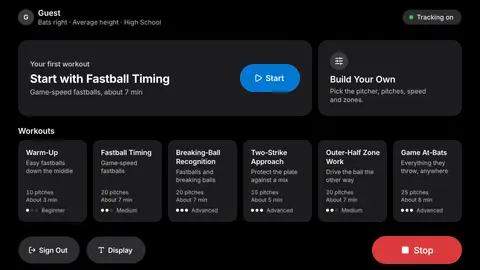
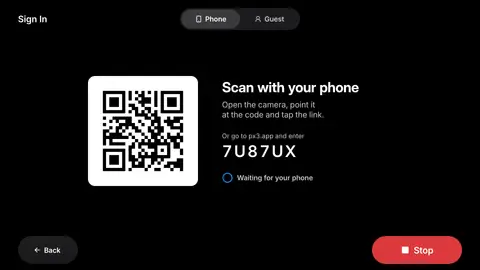
Sign in with your phone, or play as a guest.No setup screen, no typing a name at the machine.

It remembers you.

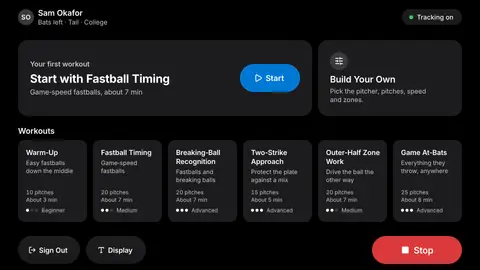
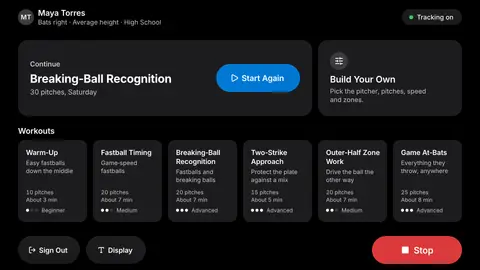
Your last session, one tap away.Pick up where you left off.

Build it your way.

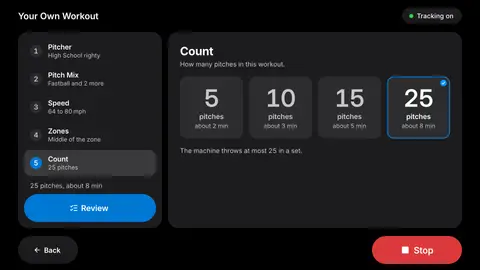
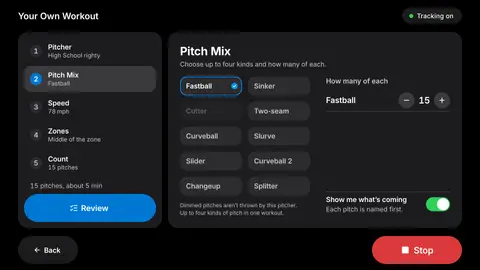
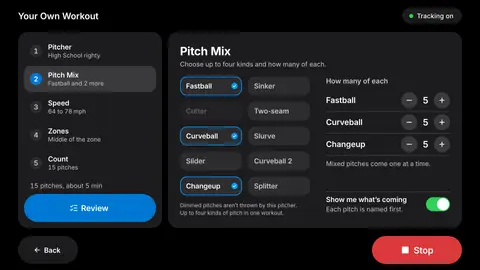
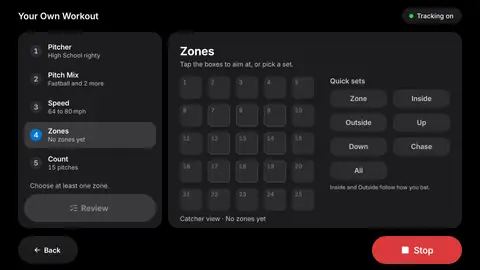
Pitcher, pitch mix, speed and zones.Five steps, and the workout is yours.Save it for next time.

Know what's coming.

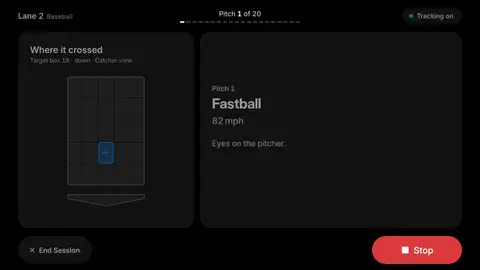
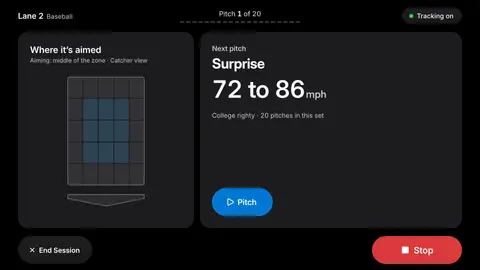
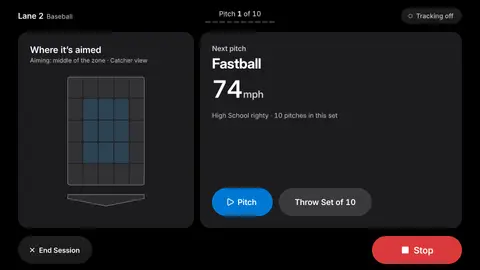
Every pitch named before it's thrown.Fastball, curve, slider, where it’s aimed and how fast.Coaches can call it, hitters can learn it.

One camera. Every pitch, every swing.

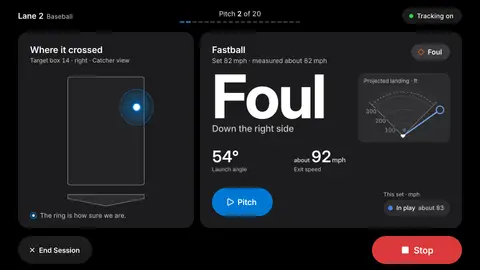
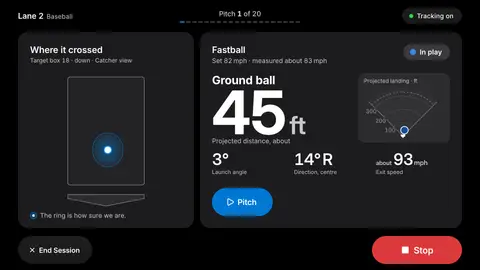
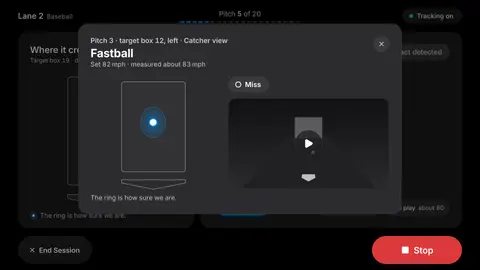
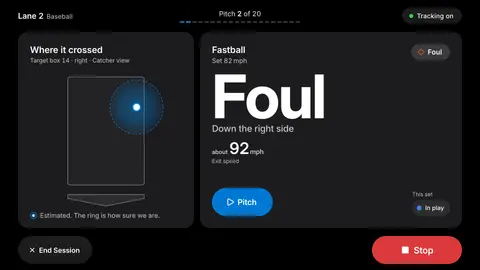
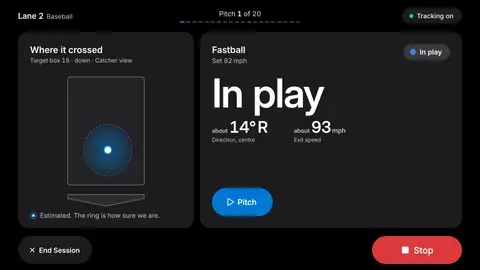
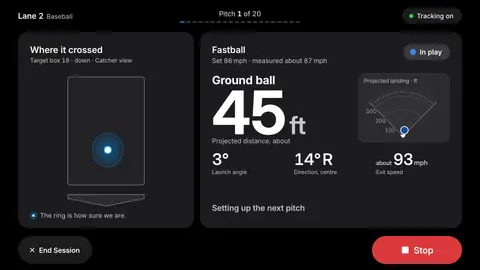
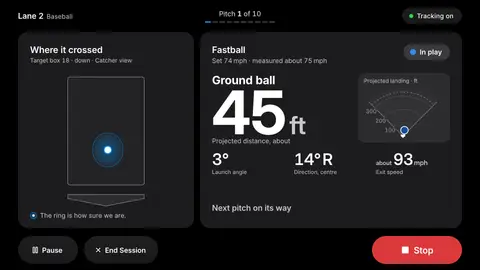
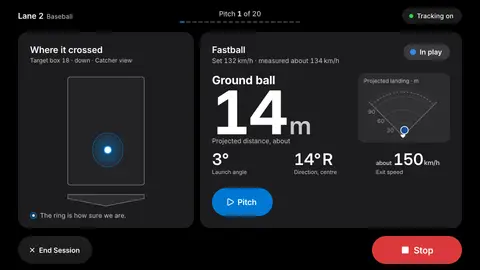
Add a camera and the kiosk sees where the ball crossed the plate and how you swung at it.The ring shows how sure the camera is.

Ball tracking is an add-on. Values shown come from our test bench.

Know how you hit it.

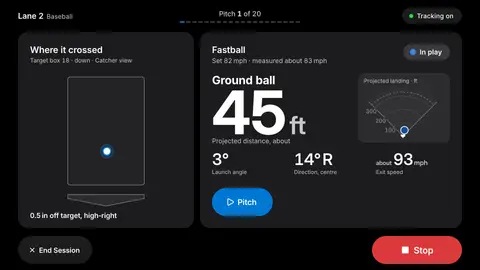
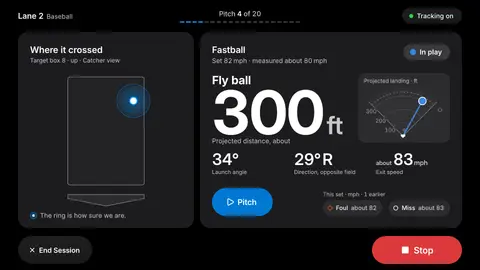
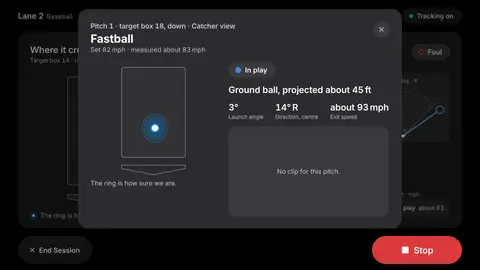
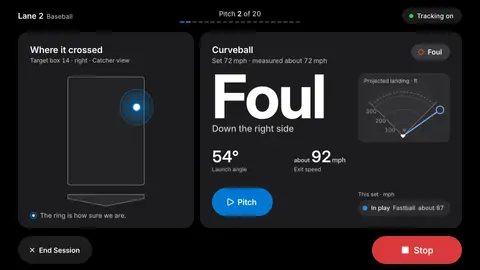
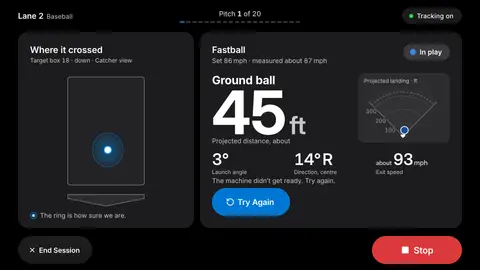
Launch angle. Direction. Distance.Exit speed with a radar alongside.

See yourself get better.

Every session adds up, and it tells you when.Hot zones. Cold zones.Where you win, and where the pitcher wins.

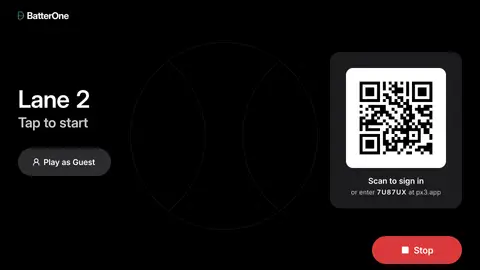
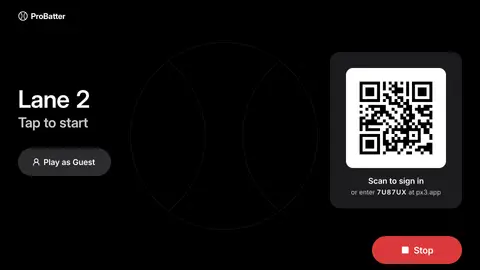
The BatterOne attract screen on Lane 2: Tap to start, a Play as Guest button, and a QR code to scan to sign in or enter the code 7U87UX at px3.app.

BatterOne for the ProBatter PX3

Ready, Batter One.

Every pitch, measured. The new kiosk for the pitching machine you already own: sign in, build a workout, and see every pitch you faced.

The BatterOne attract screen on Lane 2: Tap to start, a Play as Guest button, and a QR code to scan to sign in or enter the code 7U87UX at px3.app.

Scan.

Sign in with your phone, or play as a guest. No setup screen, no typing a name at the machine.

The kiosk Sign In screen on the Phone tab: a QR code, the words Scan with your phone, the code 7U87UX for px3.app, and Waiting for your phone.

It remembers you.

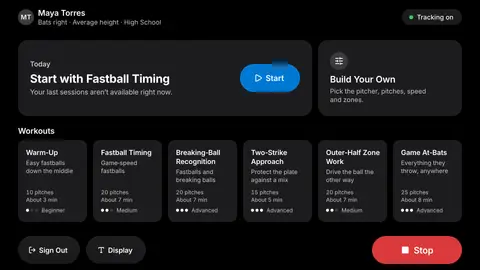
Your last session, one tap away. Pick up where you left off.

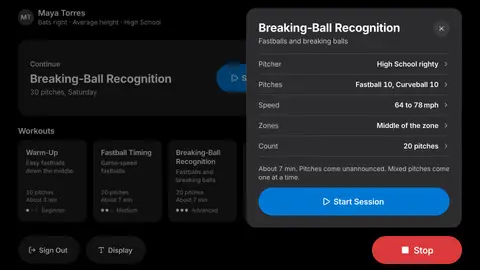
The BatterOne home screen for Maya Torres with a Continue card for Breaking-Ball Recognition, 30 pitches on Saturday, a Start Again button, a Build Your Own card and six workouts.

Build it your way.

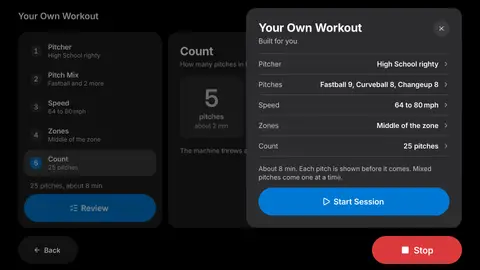
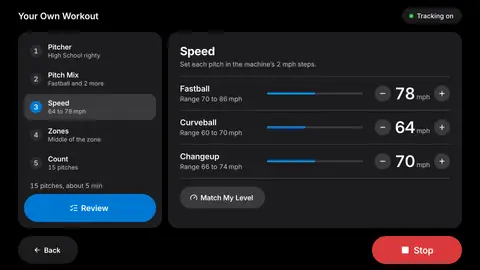
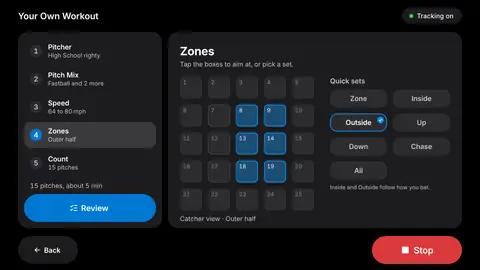
Pitcher, pitch mix, speed and zones. Five steps, and the workout is yours. Save it for next time.

Your Own Workout, step 4 Zones: the 25-box aim grid with the outer half marked, Outside chosen from the quick sets.
Your Own Workout review sheet: High School righty, Fastball 9, Curveball 8, Changeup 8, 64 to 80 mph, middle of the zone, 25 pitches, about 8 minutes, and a Start Session button.

Know what's coming.

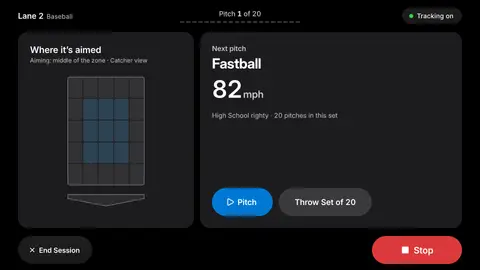
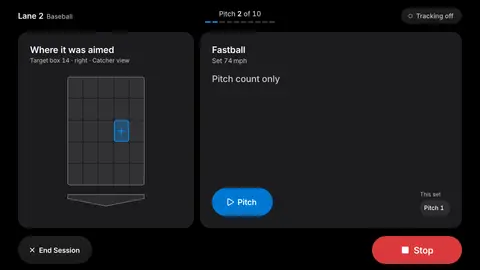
Every pitch named before it's thrown. Fastball, curve, slider, where it’s aimed and how fast. Coaches can call it, hitters can learn it.

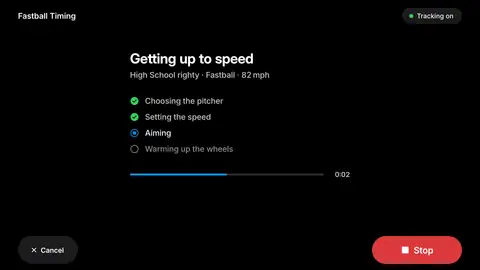
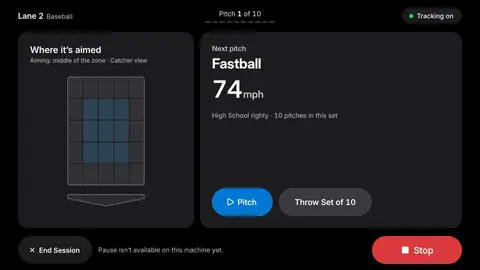
The kiosk live screen before a pitch: Lane 2, pitch 1 of 20, Where it is aimed with the middle of the zone marked, and Next pitch: Fastball, 82 mph, High School righty, 20 pitches in this set.

One camera. Every pitch, every swing.

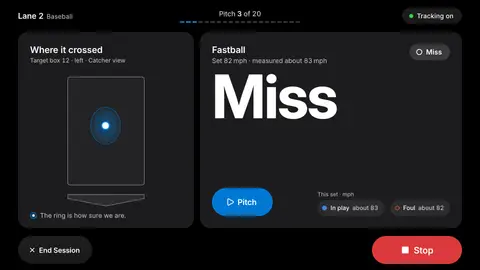
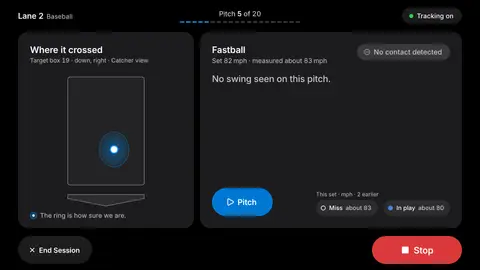
Add a camera and the kiosk sees where the ball crossed the plate and how you swung at it. The ring shows how sure the camera is.

Ball tracking is an add-on. Values shown come from our test bench.

The kiosk live screen after a pitch: Where it crossed, a wide ring around the crossing point with the note Estimated, the ring is how sure we are, and In play with about 14 degrees right and about 93 mph exit speed.

Know how you hit it.

Launch angle. Direction. Distance. Exit speed with a radar alongside.

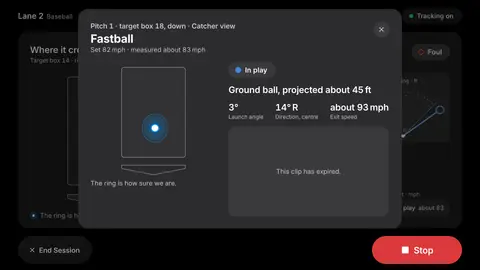
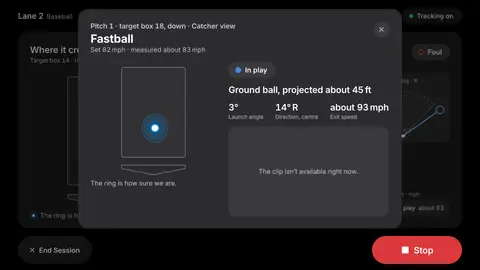
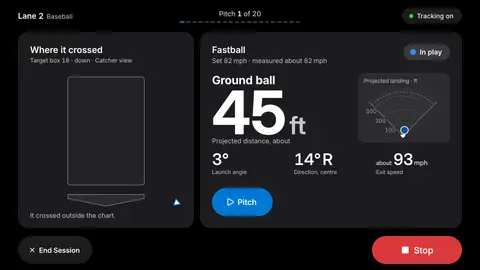
The kiosk live screen after contact: Ground ball, about 45 feet projected distance, 3 degrees launch angle, 14 degrees right, about 93 mph exit speed, with a projected landing fan marked 100, 200 and 300 feet.

See yourself get better.

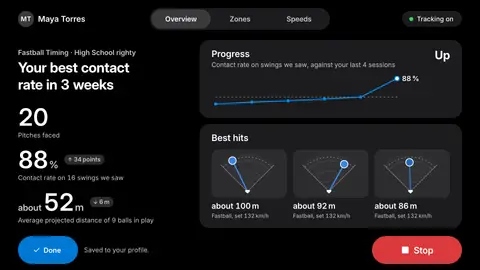
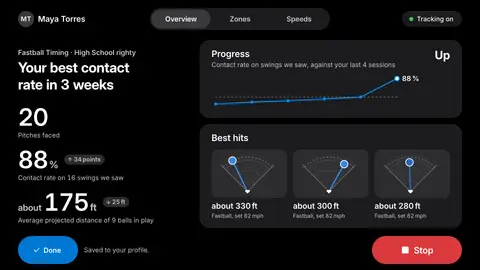
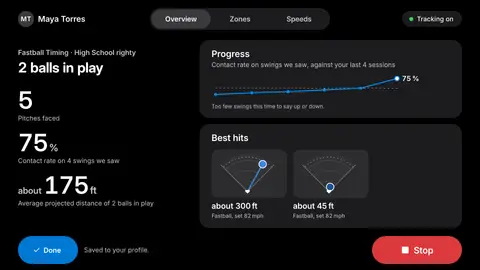
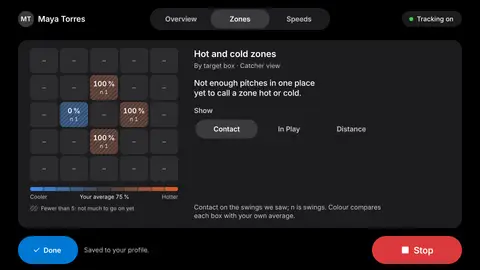
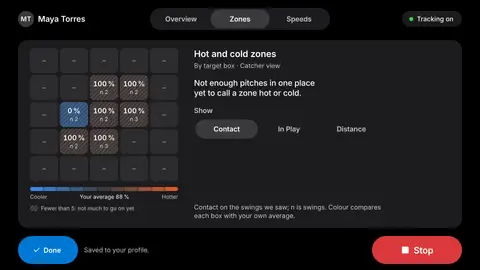
Every session adds up, and it tells you when. Hot zones. Cold zones. Where you win, and where the pitcher wins.

The session summary Overview: your best contact rate in 3 weeks, 20 pitches faced, 88 percent contact, about 175 feet average distance, a progress line and three best hits.
The kiosk session summary on the Zones tab: Hot and cold zones by target box, catcher view, with contact percentages on the boxes you faced and a cooler to hotter scale around your 88 percent average.

What you get.

BatterOne is the software for your PX3, installed on the kiosk at the lane. Everything below is included.

  1. The BatterOne attract screen on Lane 2: Tap to start, Play as Guest, and a QR code to scan to sign in.

    The kiosk.

    Every screen, for baseball, softball and cricket.

  2. The kiosk Sign In screen on the Phone tab with a QR code, the code 7U87UX for px3.app, and Waiting for your phone.

    Sign-in and profiles.

    Scan with a phone, or play as a guest. Height and handedness carried with the player.

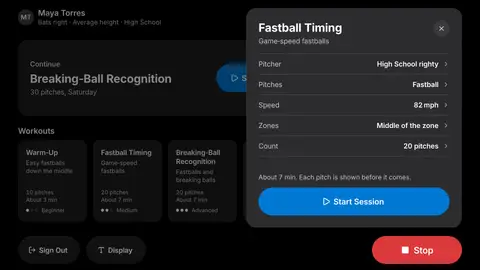
  3. The Fastball Timing workout sheet over the home screen: High School righty, Fastball, 82 mph, middle of the zone, 20 pitches, about 7 minutes, and a Start Session button.

    Workouts.

    Six presets from warm-up to game at-bats, and a five-step builder for your own.

  4. The kiosk live screen after contact: Fastball set 82 mph, measured about 83 mph, ground ball, about 45 feet projected, 3 degrees launch angle, 14 degrees right, about 93 mph exit speed.

    Pitch-by-pitch intel.

    Every pitch named before it is thrown, with speed and target.

  5. The session summary Overview: your best contact rate in 3 weeks, 20 pitches faced, 88 percent contact, about 175 feet average distance, a progress line and three best hits.

    Session reports.

    Contact rate, best hits, hot and cold zones, saved to the profile and sent to the phone.

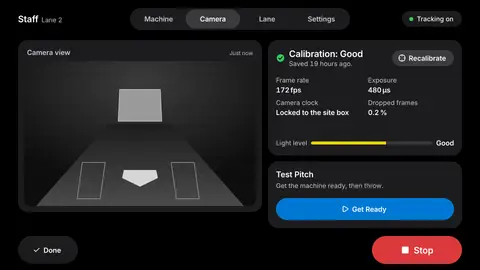
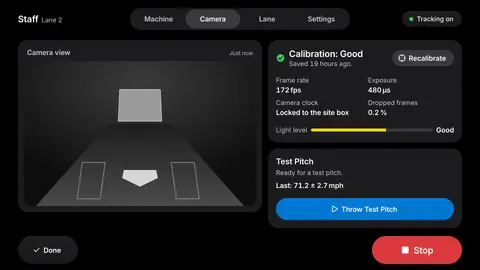
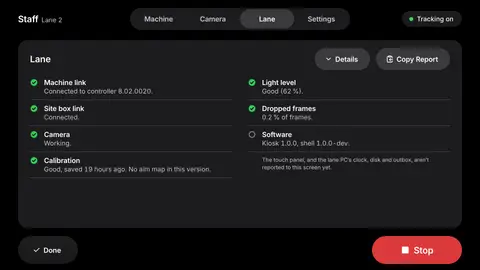
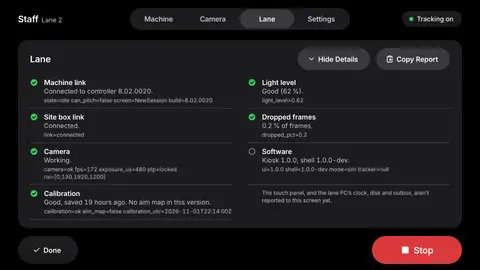
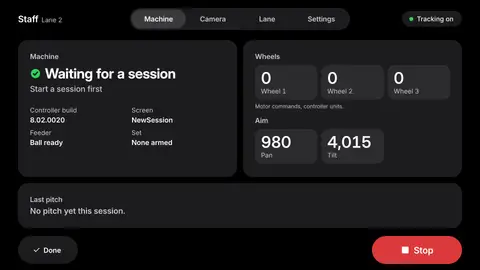
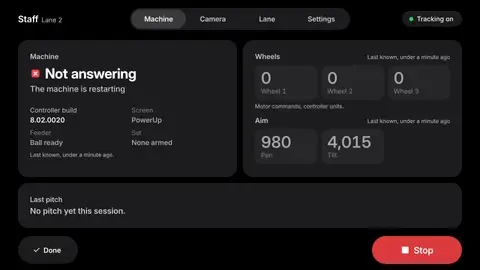
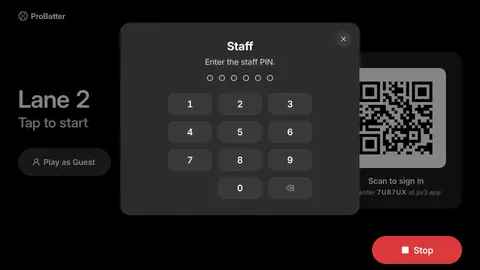
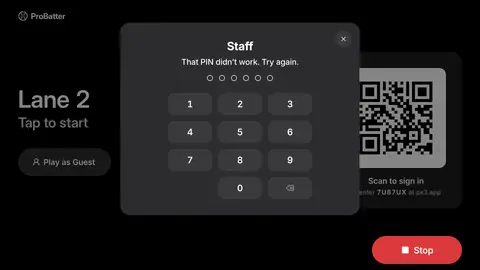
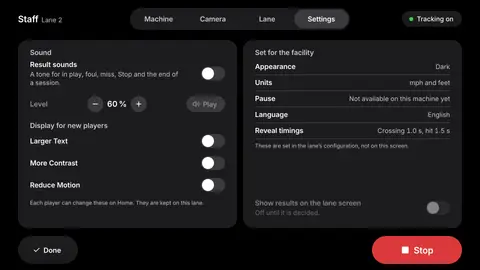
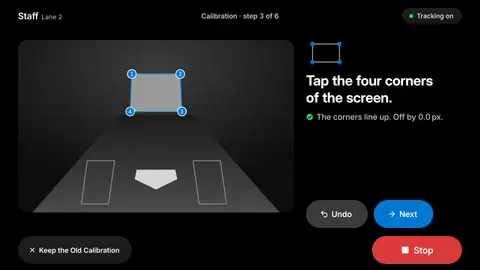
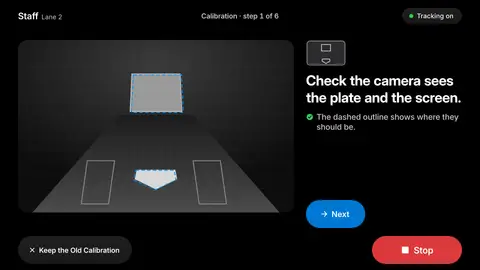
  6. The Staff Lane screen for Lane 2, behind the staff PIN, with the Machine, Camera, Lane and Settings tabs.

    Staff tools.

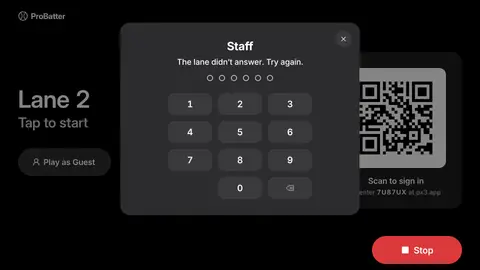
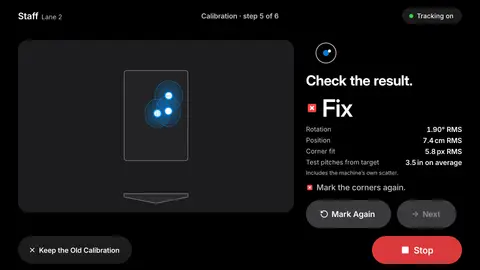
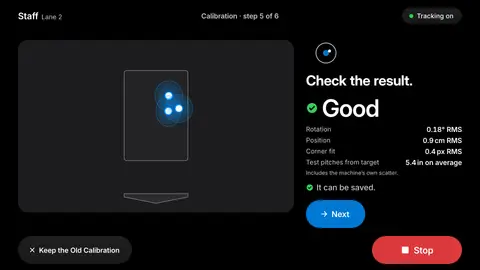
    Lane, machine, camera and settings screens with a staff PIN.

  7. The session summary Overview in its default form.
    The same session summary Overview with larger text: every label and number set bigger.
    The same session summary Overview in light mode: dark text on a light background with white cards.
    The same session summary Overview with reduced motion: identical content, nothing animates.

    Made for every hitter.

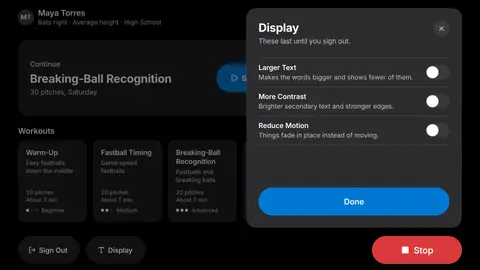
    Larger text, light and dark, reduced motion.

  8. The kiosk live screen after a pitch: where it crossed with a wide ring, the note Estimated, the ring is how sure we are, In play, about 14 degrees right, about 93 mph exit speed.

    Camera tracking.

    Where the ball crossed, launch angle, direction, distance. Values shown come from our test bench.

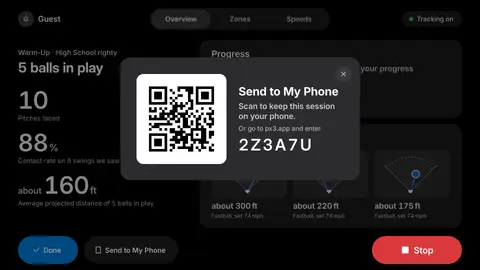
  9. The session summary with the Send to My Phone sheet: a QR code to scan to keep this session on your phone, or the code 2Z3A7U at px3.app.

    Player app.

    Your sessions on your phone. In beta March 2027.

Every screen, finished.

94 screens. Baseball, softball and cricket.
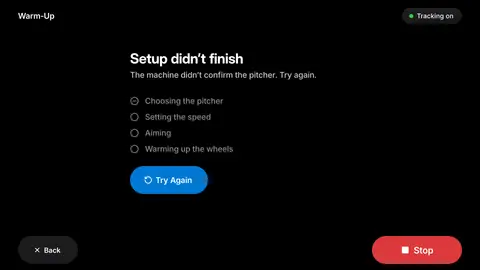
  • Kiosk screen: arming failed
  • Kiosk screen: arming progress
  • Kiosk screen: attract batterone
  • Kiosk screen: attract default
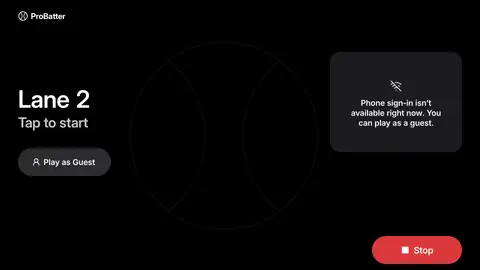
  • Kiosk screen: attract site offline
  • Kiosk screen: builder count
  • Kiosk screen: builder mix
  • Kiosk screen: builder mix mixed
  • Kiosk screen: builder no zones
  • Kiosk screen: builder pitcher
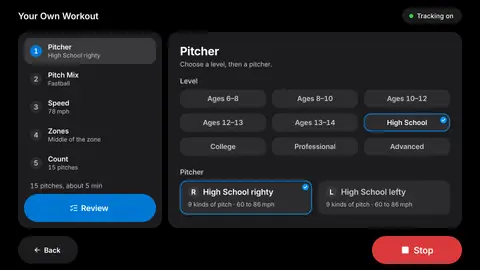
  • Kiosk screen: builder review
  • Kiosk screen: builder speed
  • Kiosk screen: builder zones
  • Kiosk screen: home display sheet
  • Kiosk screen: home first time
  • Kiosk screen: home history unavailable
  • Kiosk screen: home reduce transparency
  • Kiosk screen: home returning
  • Kiosk screen: live aim map
  • Kiosk screen: live contact foul
  • Kiosk screen: live contact in play
  • Kiosk screen: live contact in play 2
  • Kiosk screen: live contact miss
  • Kiosk screen: live contact no contact
  • Kiosk screen: live hold clip expired
  • Kiosk screen: live hold clip unavailable
  • Kiosk screen: live hold no clip
  • Kiosk screen: live hold sheet
  • Kiosk screen: live in flight
  • Kiosk screen: live low confidence foul
  • Kiosk screen: live low confidence in play
  • Kiosk screen: live mixed hold
  • Kiosk screen: live mixed ready
  • Kiosk screen: live mixed re-arm failed
  • Kiosk screen: live mixed re-arming
  • Kiosk screen: live off chart
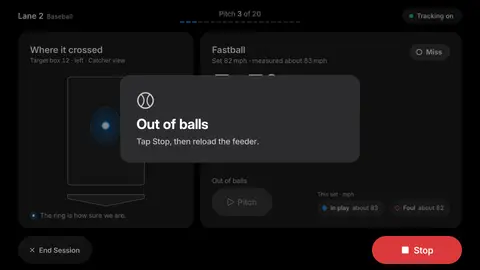
  • Kiosk screen: live out of balls resume
  • Kiosk screen: live out of balls stop
  • Kiosk screen: live pause unsupported
  • Kiosk screen: live paused
  • Kiosk screen: live ready
  • Kiosk screen: live set complete
  • Kiosk screen: live set running
  • Kiosk screen: live site offline hold
  • Kiosk screen: live tracking off hold
  • Kiosk screen: live tracking off ready
  • Kiosk screen: metric live
  • Kiosk screen: metric live set complete
  • Kiosk screen: metric summary
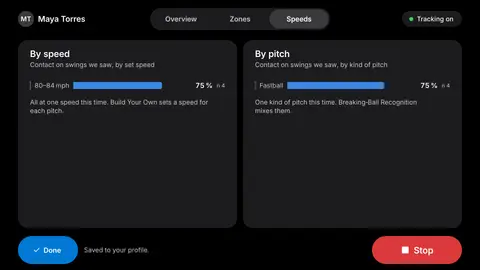
  • Kiosk screen: metric summary speeds
  • Kiosk screen: review mixed
  • Kiosk screen: review workout
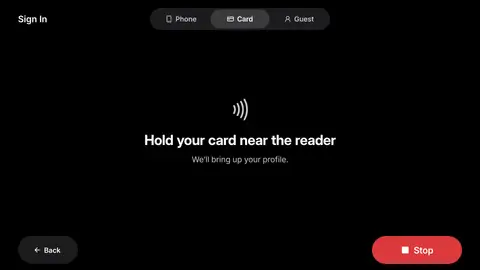
  • Kiosk screen: sign in card
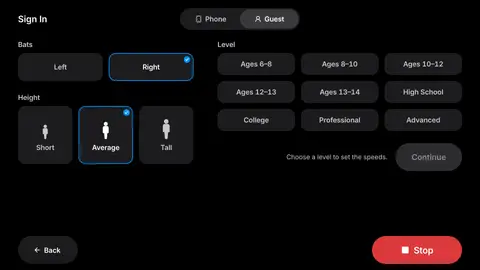
  • Kiosk screen: sign in guest
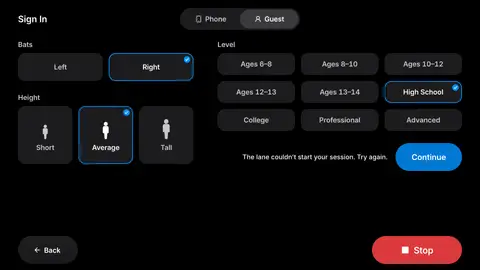
  • Kiosk screen: sign in guest failed
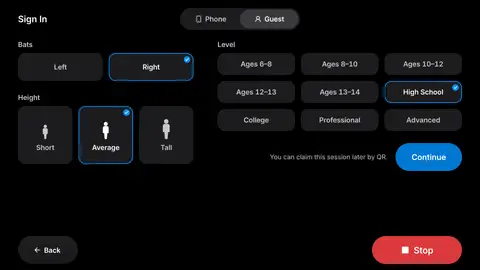
  • Kiosk screen: sign in guest filled
  • Kiosk screen: sign in phone
  • Kiosk screen: staff camera
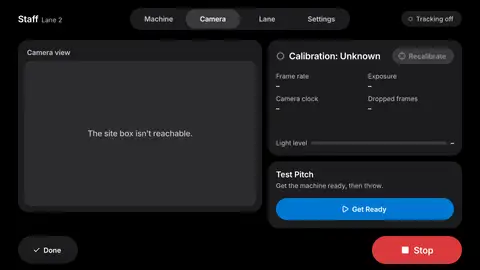
  • Kiosk screen: staff camera offline
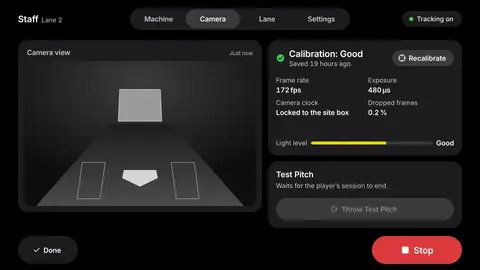
  • Kiosk screen: staff camera player session
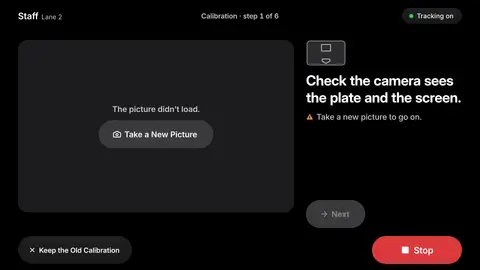
  • Kiosk screen: staff camera still failed
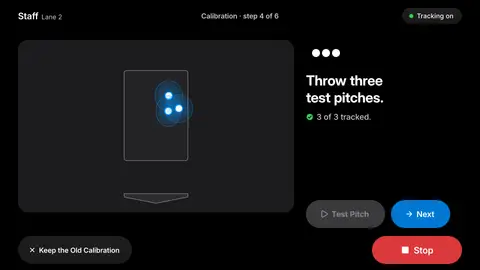
  • Kiosk screen: staff camera test pitch
  • Kiosk screen: staff lane
  • Kiosk screen: staff lane details
  • Kiosk screen: staff machine
  • Kiosk screen: staff machine offline
  • Kiosk screen: staff pin
  • Kiosk screen: staff pin refused
  • Kiosk screen: staff pin unanswered
  • Kiosk screen: staff settings
  • Kiosk screen: staff wizard fix
  • Kiosk screen: staff wizard good
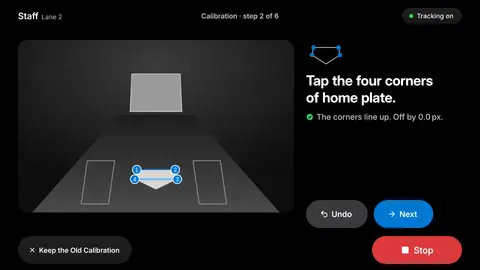
  • Kiosk screen: staff wizard plate
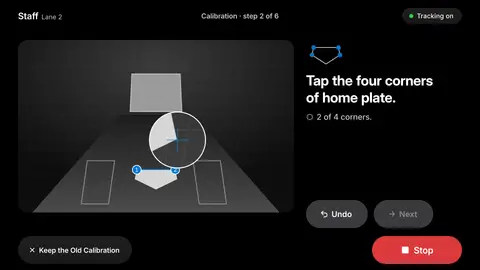
  • Kiosk screen: staff wizard plate loupe
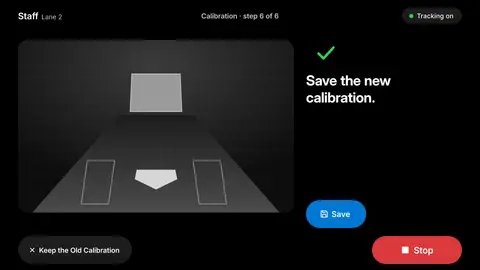
  • Kiosk screen: staff wizard save
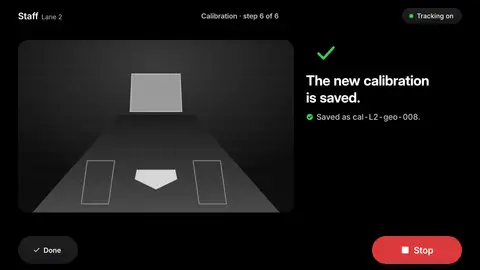
  • Kiosk screen: staff wizard saved
  • Kiosk screen: staff wizard screen
  • Kiosk screen: staff wizard still failed
  • Kiosk screen: staff wizard tests
  • Kiosk screen: staff wizard view
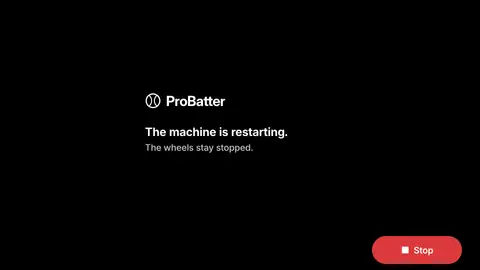
  • Kiosk screen: starting machine restarting
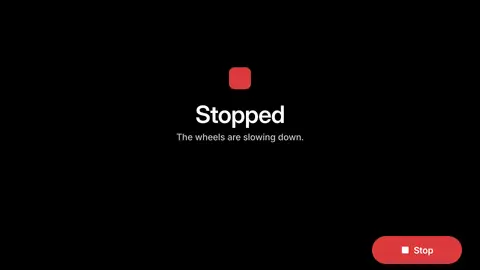
  • Kiosk screen: stopped slowing
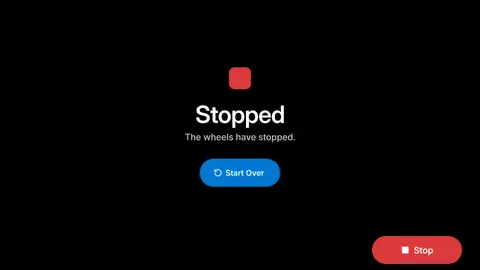
  • Kiosk screen: stopped start over
  • Kiosk screen: summary first session
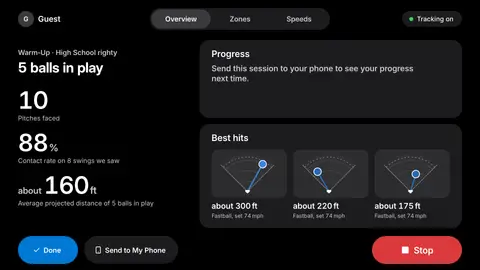
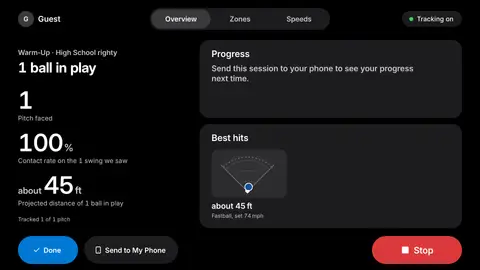
  • Kiosk screen: summary guest
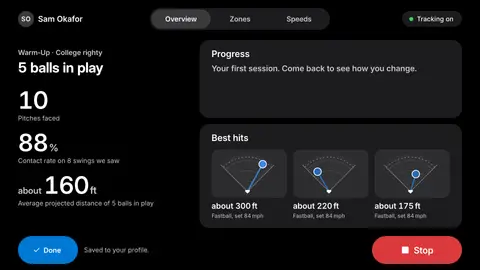
  • Kiosk screen: summary overview
  • Kiosk screen: summary send to phone
  • Kiosk screen: summary site offline
  • Kiosk screen: summary small sample
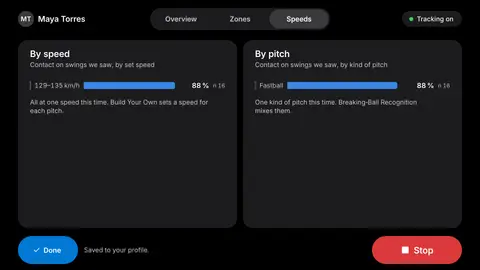
  • Kiosk screen: summary speeds
  • Kiosk screen: summary staff line
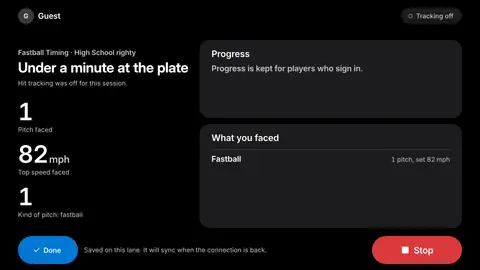
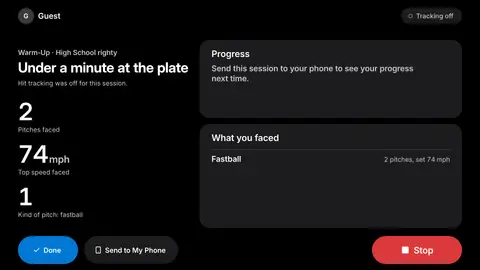
  • Kiosk screen: summary tracking off
  • Kiosk screen: summary zones
  • Kiosk screen: summary zones full

Watch the film.

93 seconds. The kiosk, from the first tap.

Built for the PX3.

BatterOne runs on the ProBatter PX3, for baseball, softball and cricket. Nothing about the machine changes; BatterOne is the screen it was waiting for. The camera is an add-on.
The BatterOne attract screen on Lane 2: Tap to start, a Play as Guest button, and a QR code to scan to sign in or enter the code 7U87UX at px3.app.

Pricing on request.
BatterOne is sold with and for the ProBatter PX3. Tell us how many lanes you run and we'll come back with a number.
See it on your lane.

Thirty minutes, on a call or at your facility. Bring a hitter.

How many PX3 machines

Form opens when the relay is live.